A simpler way to protect your child’s device.
You control it. They use it. Doorway helps you manage your child’s Android device from your own phone.
How it works
- 1
Install Doorway Parent
Takes about a minute on your phone.
- 2
Get your Family Code
Created for you, along with your six-digit Parent PIN.
- 3
Add your children
Connect their devices and set the limits you want.
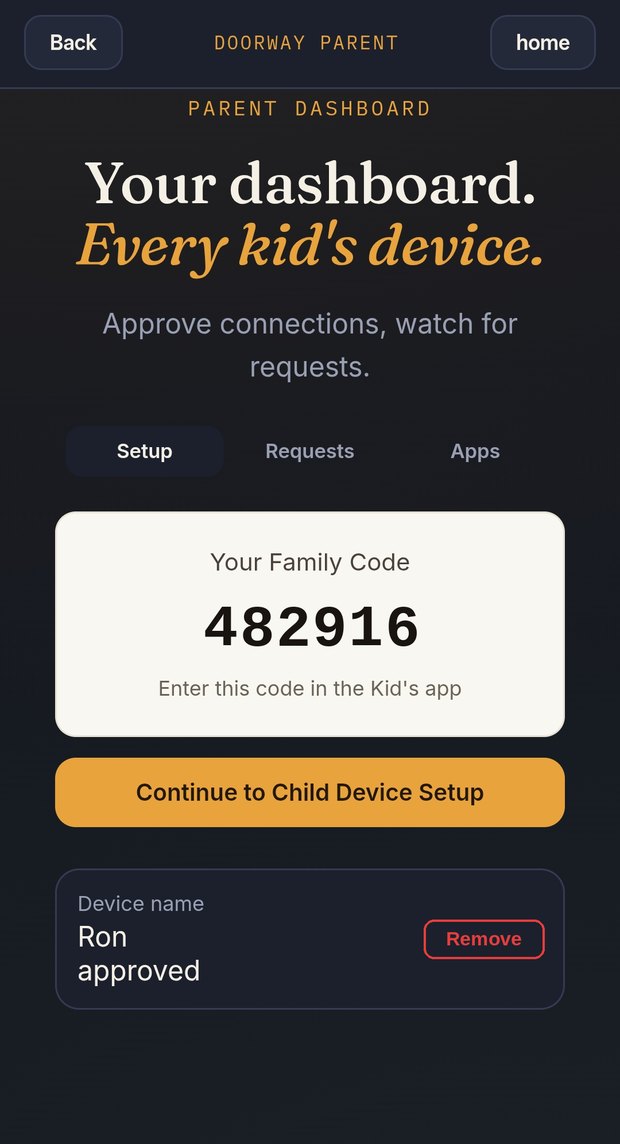
Every kid’s device. One dashboard.
Approve connections and watch for requests from your phone. When your child taps a blocked app, you decide, and for how long.
Built to collect as little as possible.
Privacy Policy- No location tracking.Doorway doesn’t collect GPS data or home addresses.
- No ads, and your data is never sold.Your family’s data is never sold, traded or rented to anyone.
- You stay in charge.Blocked apps wait for your approval, and a 6-digit PIN protects your dashboard.
Questions parents ask
Which devices does Doorway work on?
Your child’s phone or tablet needs to be Android. The Doorway Parent app can be installed on any device, so you can manage everything from your own phone.
What happens when my child taps a blocked app?
A request arrives on your phone. You approve it for the amount of time you choose, or leave it blocked.
How many children’s devices can I add?
Up to 6 devices can share one Family Code.
How much does it cost?
Every family starts with a 14-day free trial. Subscriptions and refunds are handled through Google Play.
Ready to get started?
Please read the Privacy Policy and Terms, then choose Agree.
Start Free Trial